This guide explains how to download and install the VBA Compiler for Excel.
DoneEx VbaCompiler for Excel helps protect your VBA projects by converting Visual Basic for Applications (VBA) code into native Windows DLL files. It also provides Excel workbook and add-in copy protection and licensing, helping secure your code and intellectual property.
System Prerequisites
Before initializing the installation, ensure the host computer environment satisfies the following baseline system configuration requirements:
- Operating System: Microsoft Windows 10, or Windows 11 (both 32-bit and 64-bit architectures are supported).
- Host Application: Microsoft Excel 2010 SP2 or higher (including Excel 2013, 2016, 2019, 2021, 2024, and Microsoft 365).
- Updates: Microsoft Excel must have the latest official service packs and security patches fully applied to guarantee automation compatibility.
Downloading the Installer
Navigate to the official product web-site, select ‘Download‘ menu item and retrieve the latest standalone executable setup installation package (.msi). Or download the latest version of the product directly from the link: https://vbacompiler.com/downloads/VbaCompiler4Excel.msi
Step-by-Step Installation Procedure
- Execute Setup: Locate the downloaded installation file “VbaCompiler4Excel.msi” inside your local Download folder. Run the file to start the installation process.
- Follow the installation wizard steps.
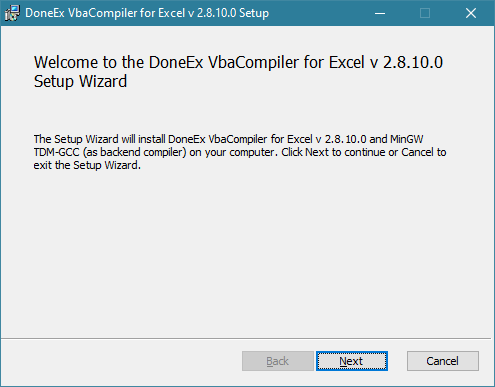
-
EULA Acceptance: Review the End-User License Agreement within the installation wizard interface and accept the technical terms to unlock the installation path allocation.
-
GNU GPL Acceptance: The product utilizes the MinGW GCC backend compiler engine to convert VBA code into machine code binaries. Review and accept the terms of the GNU General Public License (GPL) under which MinGW GCC was developed to permit its extraction and deployment.
-
Directory Selection: Select the target local destination path on your Windows system partition or accept the default filesystem directory designated by the installer.
-
Finalize Setup: Click Install to permit the system to register components, update environment variables, and structure target directory trees. Once the operation finishes, select Finish.
Following successful completion, the VbaCompiler interface can be accessed independently (use icon on your computer’s Desktop) or triggered via command-line syntax utilities (vbaclr4e.exe) to execute core automation sequences on target Excel workbooks (.xls, .xlsm, .xlsb) and add-ins (.xla, .xlam).
Video Tutorial on how to Download and Install VBA Compiler

See Also:


