The DoneEx VbaCompiler for Excel system requirements include a Windows environment with a desktop installation of Microsoft Excel. Below are the minimum and recommended system specifications for both compiling projects and running the final compiled workbooks or Excel add-ins.
Quick Overview
| Requirement | For Compilation (Developer) | For Running Compiled Workbooks (End User) |
| Operating System | Windows 10 or higher (Desktop) | Windows 10 or higher (Desktop) |
| Microsoft Excel | Excel 2010 SP2 or higher, including Excel 365 | Excel 2010 SP2 or higher, including Excel 365 |
| Excel Architecture | 32-bit or 64-bit | 32-bit or 64-bit |
| Processor | Intel or AMD | Intel or AMD |
Detailed Requirements for Systems using VBACompiler or Running the Results
1. System Requirements for VBACompiler Compilation
To compile your VBA protects, your development machine must meet the following criteria:
-
Processor: Intel or AMD processor.
-
Operating System: Desktop version of Windows 10, Windows 11, or higher.
-
Supported Microsoft Excel Versions: * Excel 2010 (SP2) or higher.
-
Excel 365 (Desktop application).
-
Note: Ensure the latest Service Packs and updates are installed.
-
-
Excel Architecture: Fully supports both 32-bit and 64-bit editions of Excel.
2. Requirements to Run Compiled Workbooks & Add-ins
End users running your compiled workbooks or Excel add-ins require a similar environment:
-
Processor: Intel or AMD processor.
-
Operating System: Desktop version of Windows 10, Windows 11, or higher.
-
Supported Microsoft Excel Versions: * Excel 2010 (SP2) or higher.
-
Excel 365 (Desktop application).
-
Note: Ensure the latest Service Packs and updates are installed.
-
-
Excel Architecture: Fully compatible with both 32-bit and 64-bit editions of Excel.
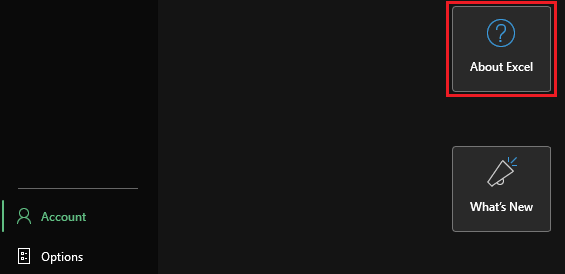
Information about your current Excel installation can be found by opening Excel and then going to File >> Account and then clicking on the “About Excel” Button
⚠️ Important Compatibility Notes
Desktop Only: Only desktop versions of Windows and Microsoft Excel are supported. Web-based Excel (Excel for the Web), iOS, Android, or macOS environments are not supported.
Updates: To ensure optimal performance and security stability, always keep your Microsoft Excel installation updated with the latest Microsoft patches.


